Stop calling your drivers
Every driver's position and status sits on one live map, so the office knows where everyone is without picking up the phone.


Live dispatch dashboard + driver app
FleetChasing is a live dispatch dashboard for your office and an app for every driver. See where every order and driver is, cut the phone calls and WhatsApp chaos, and keep your customers informed. Built around how your company works.
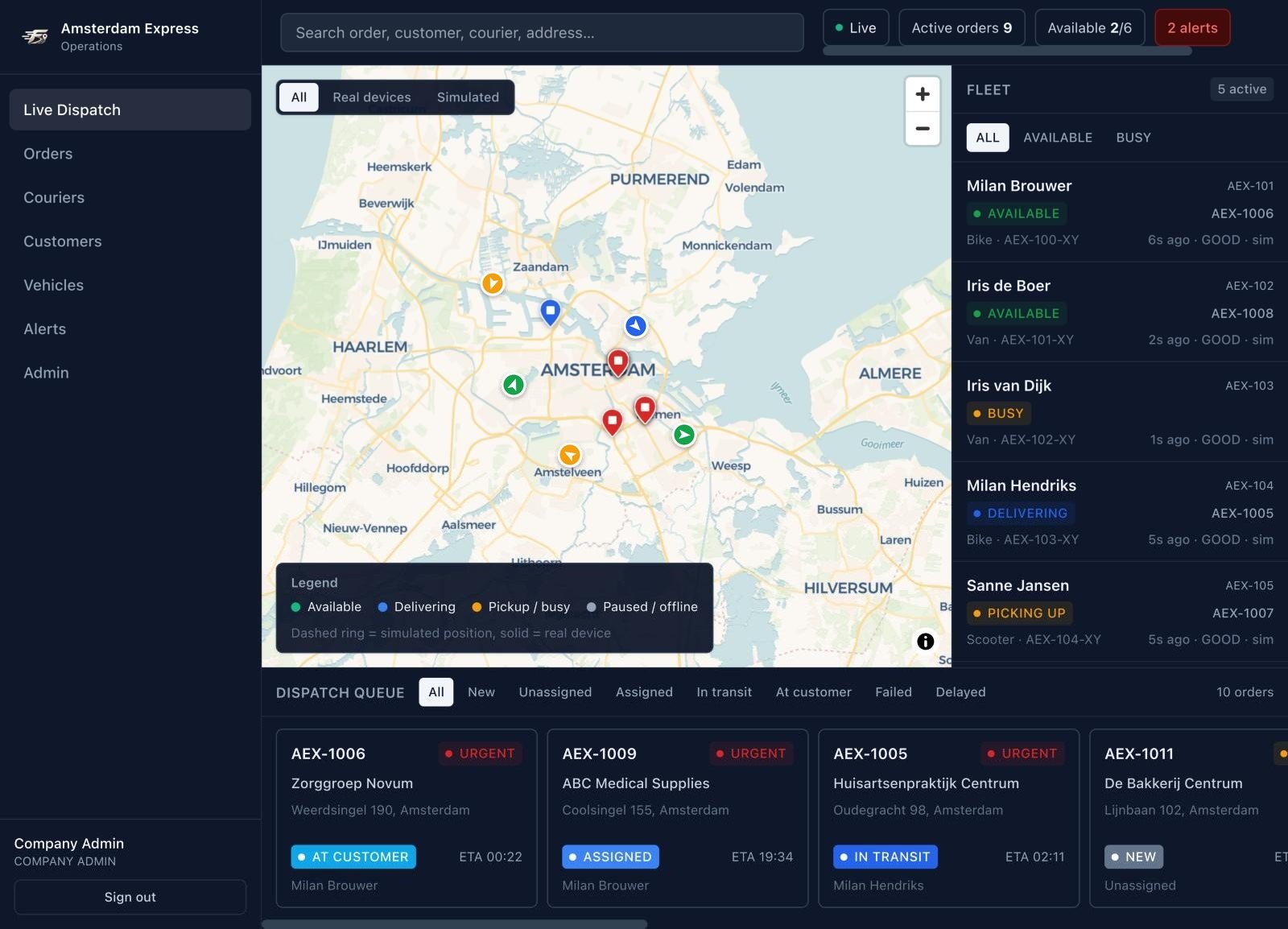
Real screenshots of the FleetChasing dashboard, with a demo company.
Why FleetChasing
Every driver's position and status sits on one live map, so the office knows where everyone is without picking up the phone.
Every order shows its status and ETA the moment it changes. On the Automated Operations plan, your customers get those updates themselves.
A delivery that fails or runs into trouble stays in the live queue, flagged, until someone in the office has dealt with it.
What you get
These are screens from the dashboard as it runs today.
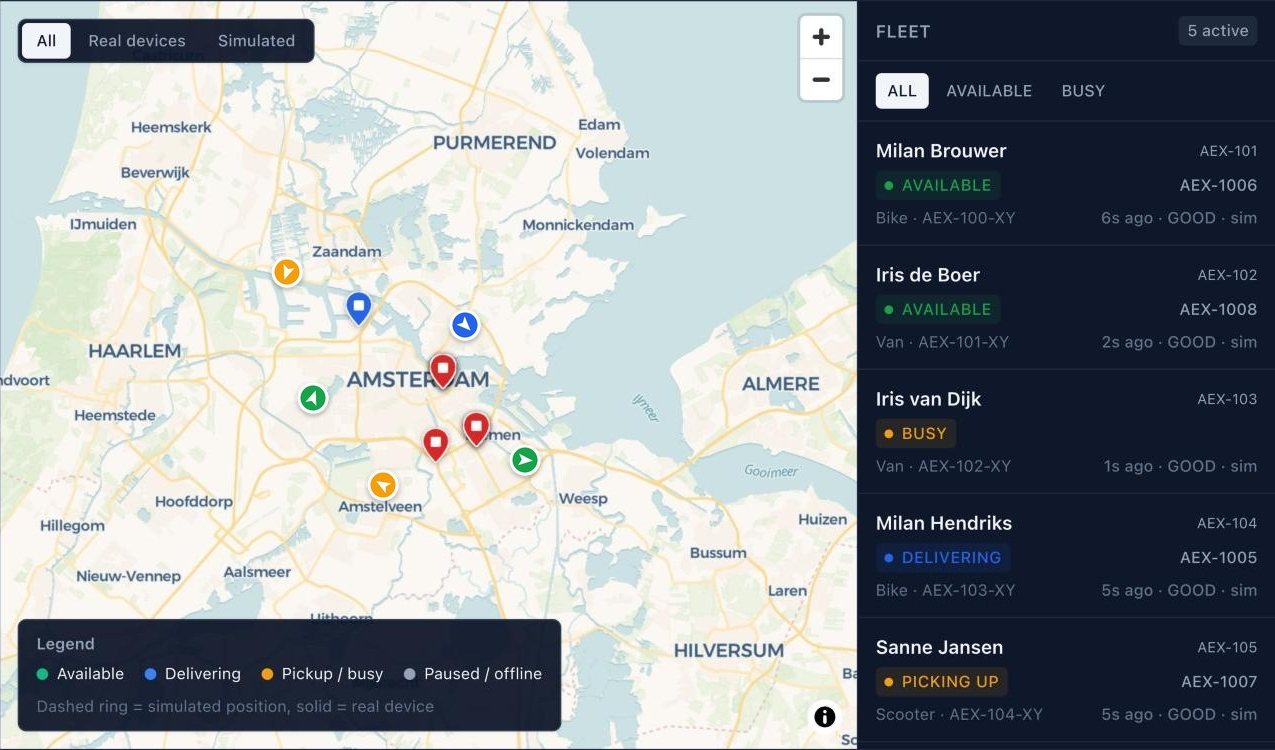
Live map
Drivers appear on the map as soon as they log in on their phone and drop off when they log out. Each one shows what they are doing and how fresh their location is.
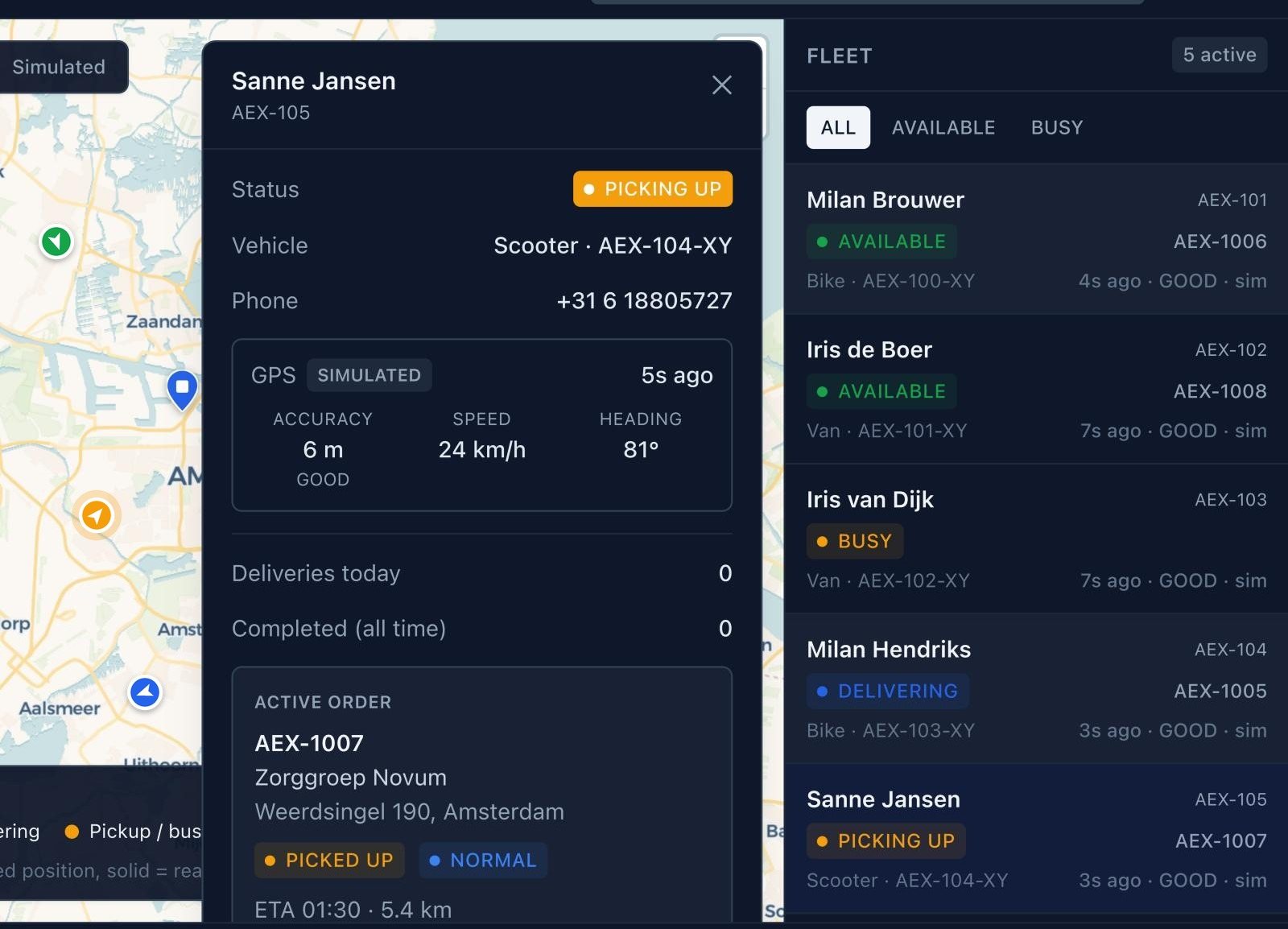
Driver detail
Vehicle, phone number, location accuracy, speed and heading, deliveries today, and the order they are working on with its ETA and distance. No phone call needed.
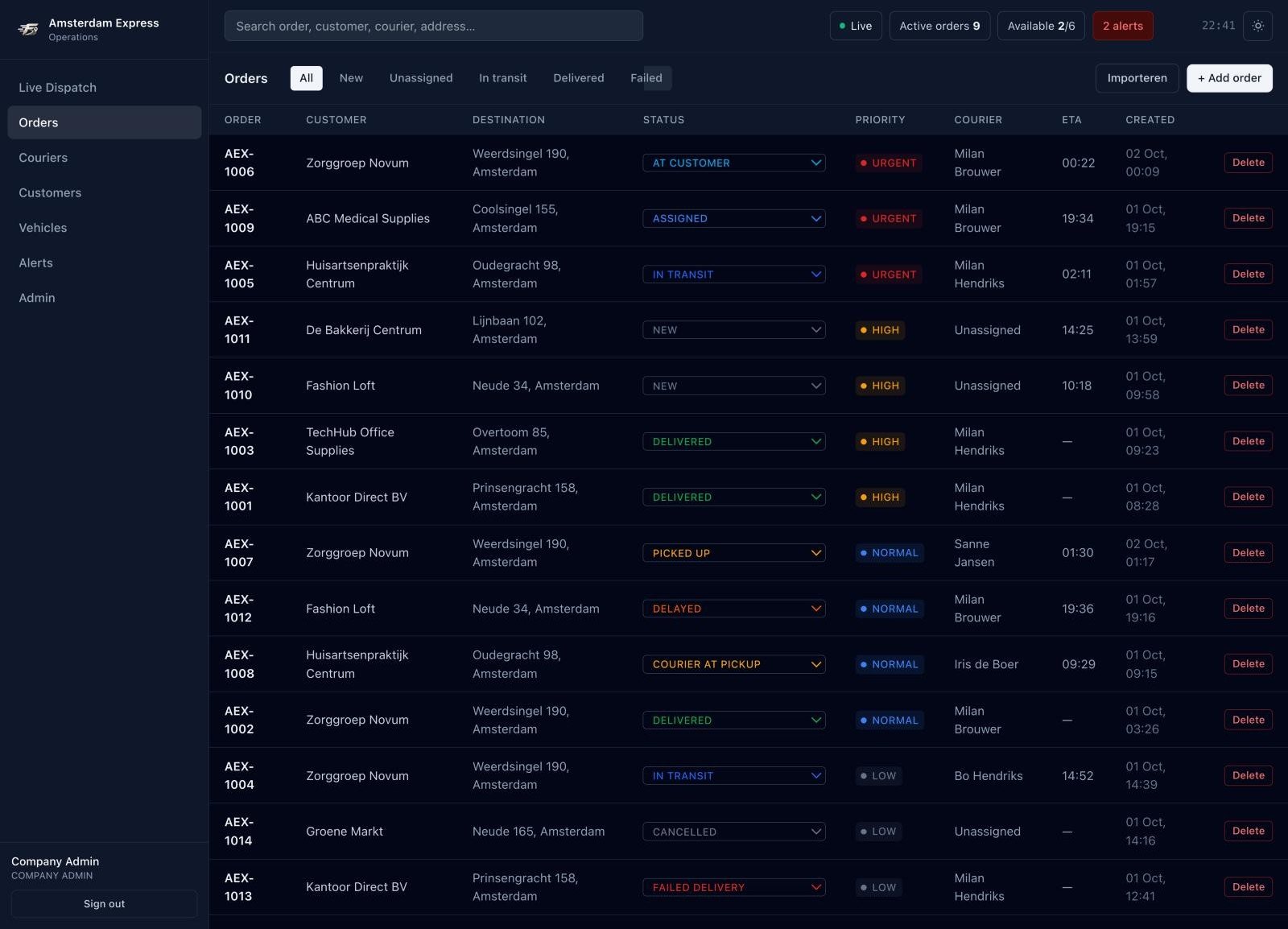
Orders
Customer, destination, status, priority, driver, ETA and time created. Change a status straight from the list, filter on what needs attention, or import a whole batch of orders at once.
Live order status
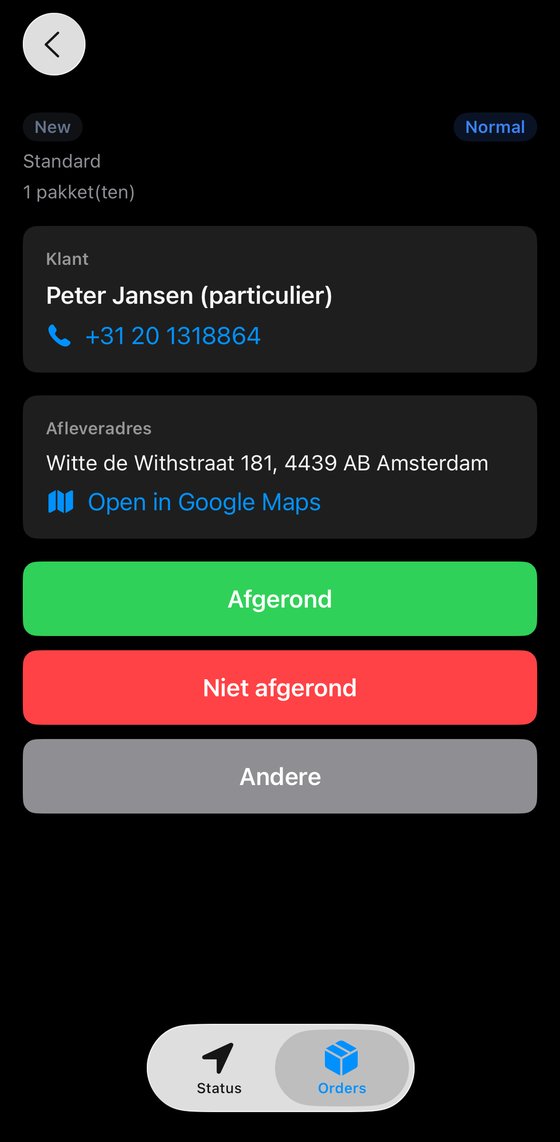
In the app, the driver marks an order as delivered, not delivered, or a problem with a short note. The office sees it immediately.
Delivered orders leave the live queue. A failed delivery or a reported problem stays there until the office sets it right.
Driver app
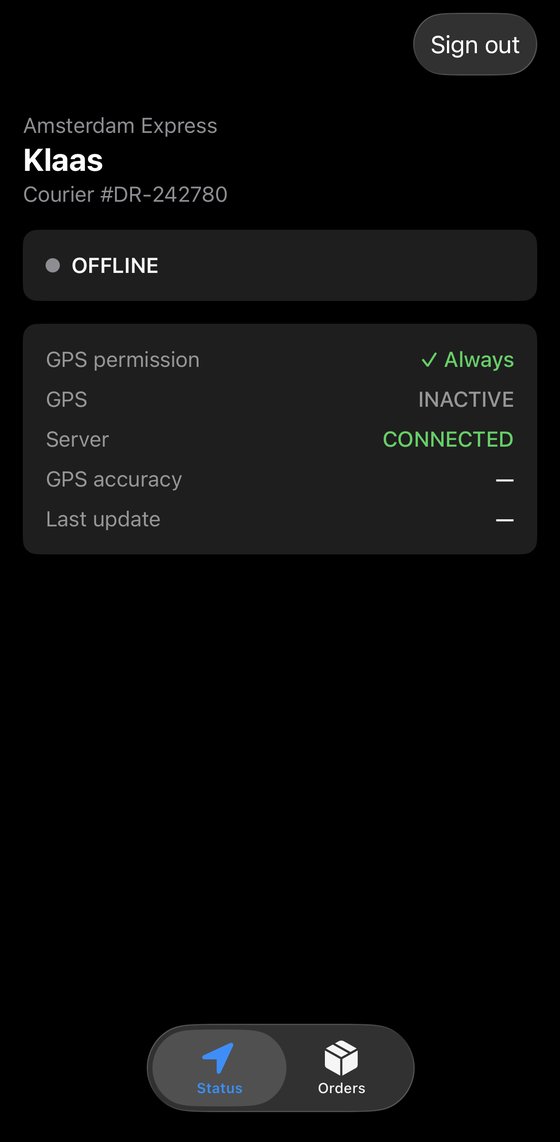
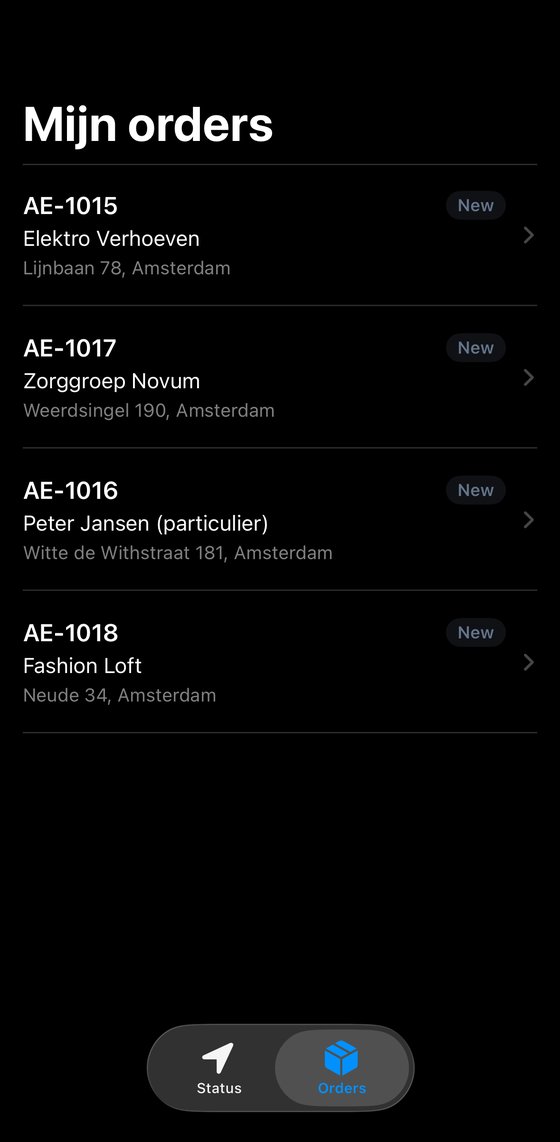
Drivers see their own orders, call the customer with one tap, open the drop-off address in Google Maps, and report the outcome when they're done.
Drivers
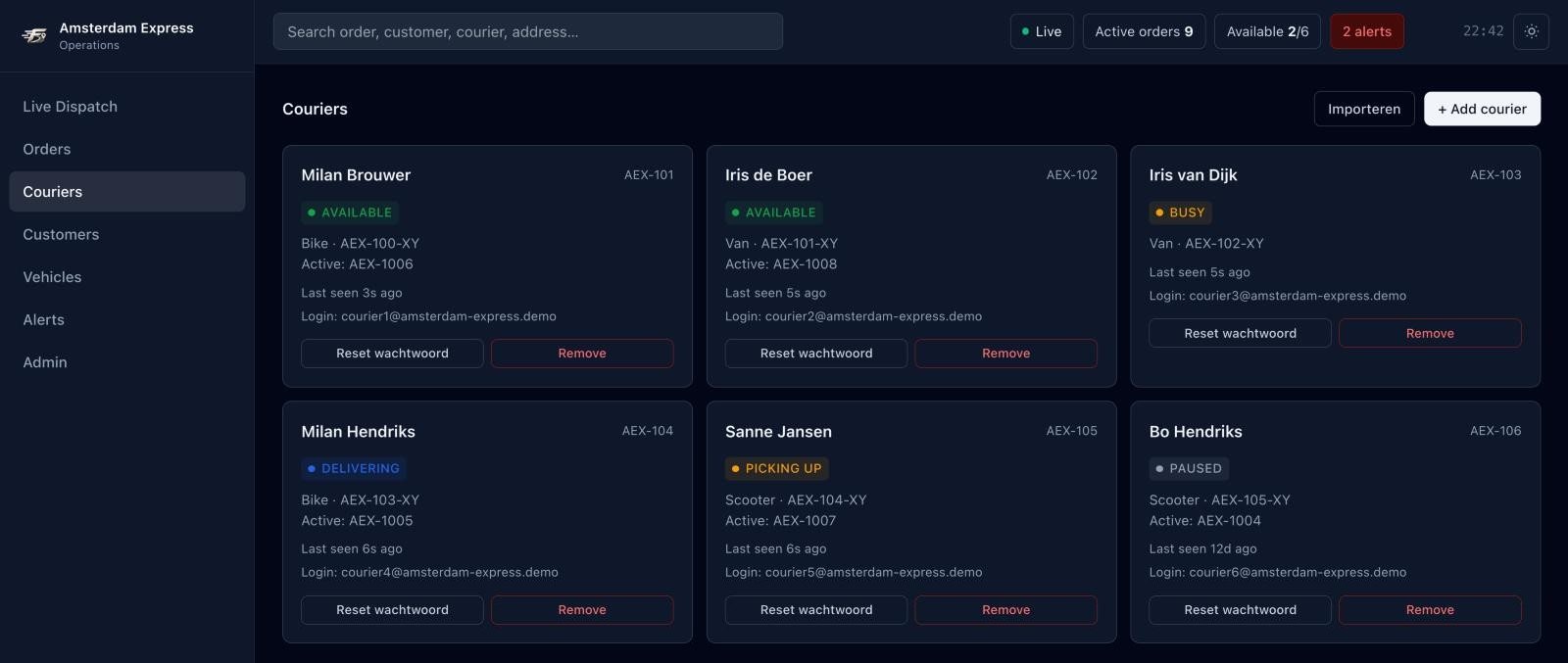
Each driver signs in on their own phone. Signing in puts them on the map as available; signing out takes them off again. Create logins, reset a password, or add your whole team from a spreadsheet.
Built for you
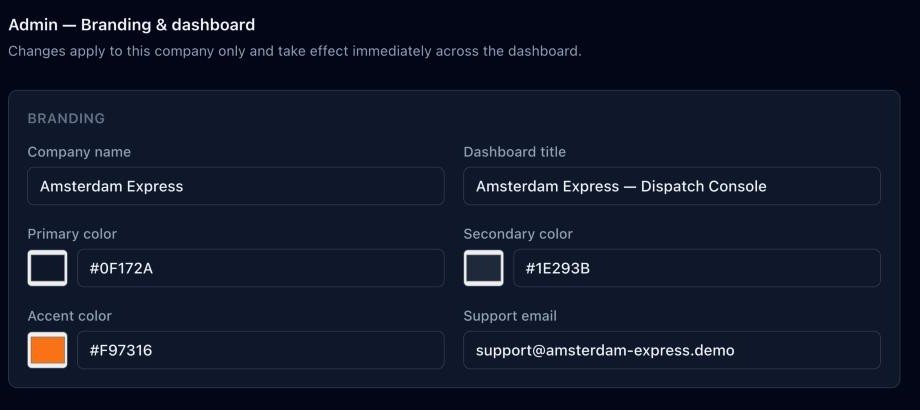
Your company name, colours and support details on the dashboard. We set it up with your own order statuses, a fixed depot as the pickup address, and only the panels your office actually uses.
Mobile
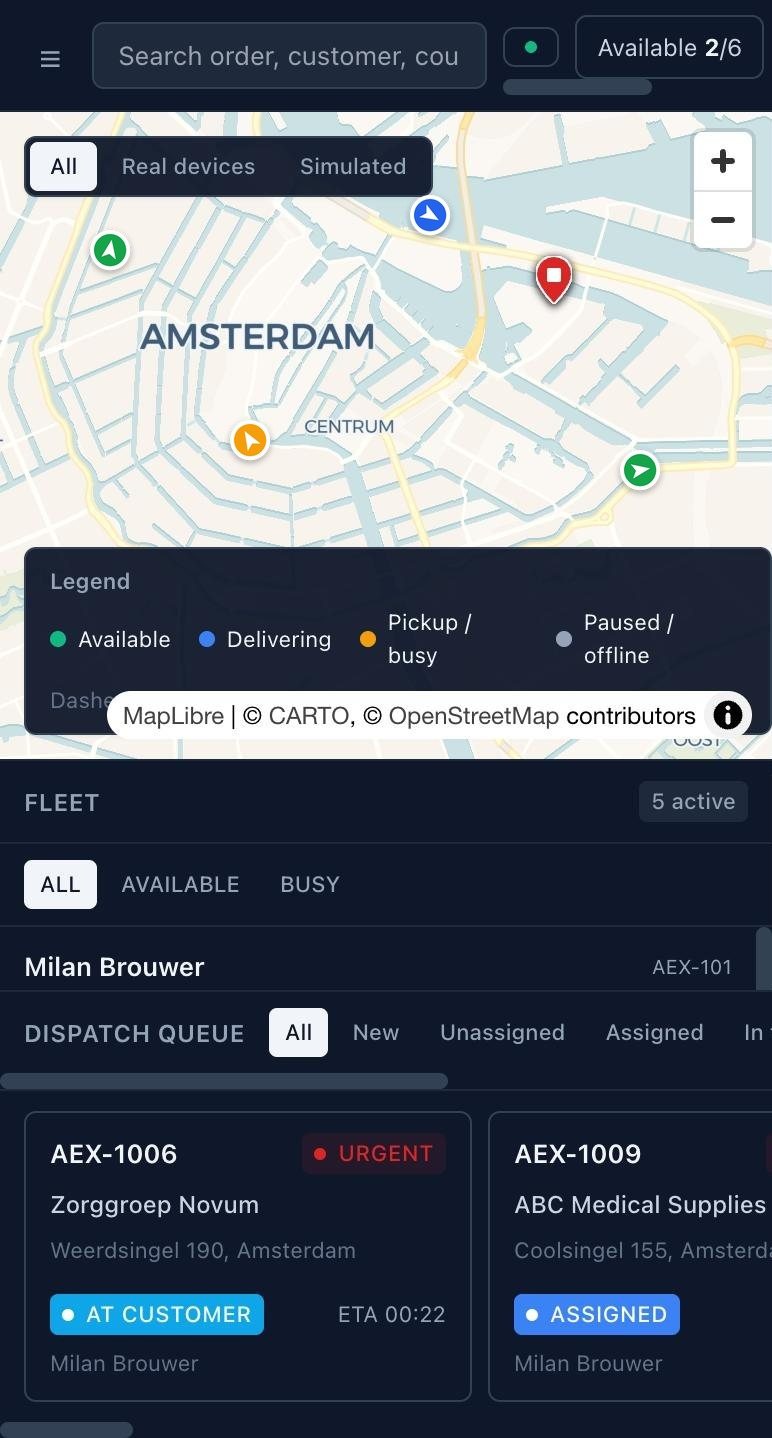
The dashboard runs in the browser on any device. Away from the office, you can still see where your drivers are and update an order from your phone.
How it works
We look at how you take orders, which statuses you work with and how your drivers operate, and set FleetChasing up around that.
A complete roadmap for going live: what gets set up when, the logins for your office and every driver, and how you move from your current way of working to FleetChasing.
Secure hosting, daily backups, updates, bug fixes, small changes and support are part of your subscription.
Plans
Every plan is set up around your company. Fill in the form and we'll send you a tailored proposal with pricing.
Stop calling your drivers. See every order and driver on one screen.
Up to 5 drivers
Customers get updates automatically. No more “where is my delivery?” calls.
Up to 15 drivers
Everything in Live Control, plus:
Your whole transport operation in one system: drivers, vehicles, planning and paperwork.
Up to 40 drivers
Everything in Automated Operations, plus:
More than 40 drivers or special requirements? Tell us in the form.
| Feature | Plan 1Live Control | Plan 2Automated Operations | Plan 3Full Operations |
|---|---|---|---|
| Size | |||
| Drivers | Up to 5 | Up to 15 | Up to 40 |
| Dispatch & drivers | |||
| Live dispatch dashboard | ✓ | ✓ | ✓ |
| Create and assign orders | ✓ | ✓ | ✓ |
| Live order status | ✓ | ✓ | ✓ |
| Driver app + personal login per driver | ✓ | ✓ | ✓ |
| Photo proof of delivery | ✓ | ✓ | ✓ |
| Live map of drivers | ✓ | ✓ | ✓ |
| Multi-stop routes per driver | – | ✓ | ✓ |
| Customer signature and notes | – | ✓ | ✓ |
| Automatic route optimization | – | – | ✓ |
| Customer communication | |||
| Automatic SMS / email / WhatsApp updates | – | ✓ | ✓ |
| Live tracking link for the customer | – | ✓ | ✓ |
| Reporting | |||
| Daily and weekly reports | – | ✓ | ✓ |
| KPI dashboard per driver | – | – | ✓ |
| Operations & admin | |||
| Office logins | 1 admin | 1 admin | Multiple, with roles |
| Multiple locations / depots | – | – | ✓ |
| Vehicle management + maintenance reminders | – | – | ✓ |
| Driver planning: shifts and schedule | – | – | ✓ |
| Automatic PDF delivery notes / CMR | – | – | ✓ |
| Invoicing / accounting software connection | – | – | ✓ |
| Service | |||
| Hosting, backups, updates | ✓ | ✓ | ✓ |
| Support and small changes | ✓ | ✓ | ✓ |
| Launch with a full step-by-step plan | ✓ | ✓ | ✓ |
Set up around your own workflow, orders and statuses.
A personal login for every driver, on their own phone.
Secure hosting, daily backups and updates.
Bug fixes, small changes and support, included in your subscription.
We lay out the complete plan to go live and launch it with you.
Free demo & pricing
Fill in the form for a free demo and a price proposal. We'll show you how it works with your own orders and drivers.